Managed hostnames
Configure VaultScope subdomains
VaultScope subdomains provide quick hostnames under vaultscope.dev or cptcr.dev. Point them at panel allocations to share friendly URLs with your community.
1. Open the subdomain manager
Inside your server view, click More → Subdomains. Each server can own one active subdomain at a time.
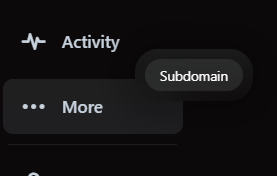
2. Choose the hostname and allocation
Pick a unique subdomain, select the allocation (internal port) that serves your workload and confirm the assignment. Changes propagate within minutes.
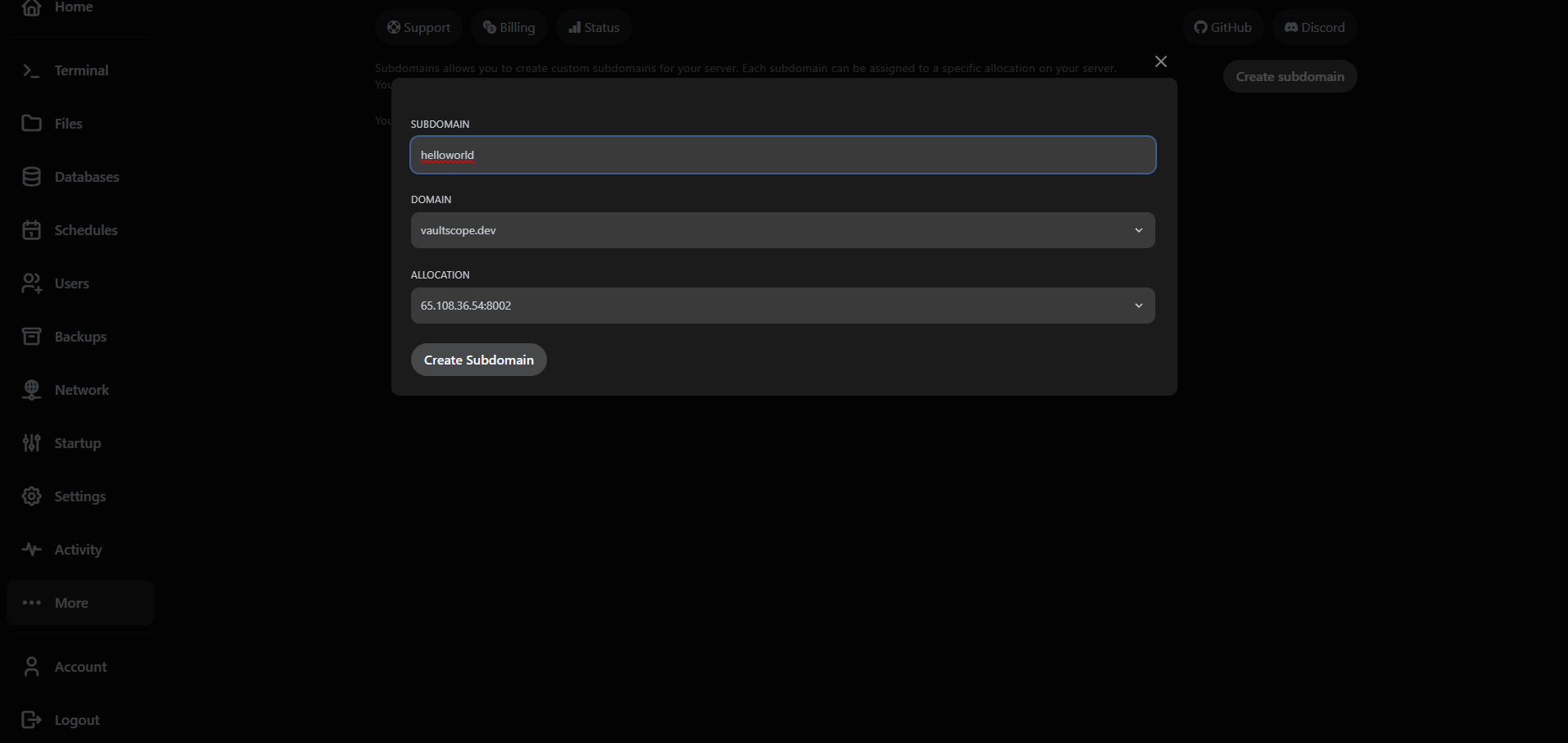
- Remove an existing subdomain before claiming a new one—one hostname per server.
- Tag subdomains with environment names (e.g.,
prod-lobby,staging-api) for clarity. - Need extra ports? Request them under the Network tab before assigning the subdomain.
3. Bring your own SSL via reverse proxy
Subdomains are HTTP-only pointers. For HTTPS certificates or custom domains, route traffic through a reverse proxy instead.
Looking for SSL? Follow the reverse proxy guide to terminate TLS and reuse your VaultScope allocations securely.