Account hardening
Security best practices
Protect your infrastructure by locking down control panel access, rotating credentials and following safe operational habits.
1. Enable two-factor authentication
From the account menu in the control panel, click Security and press Enable 2FA. Scan the QR code with an authenticator app like 1Password or Authy.
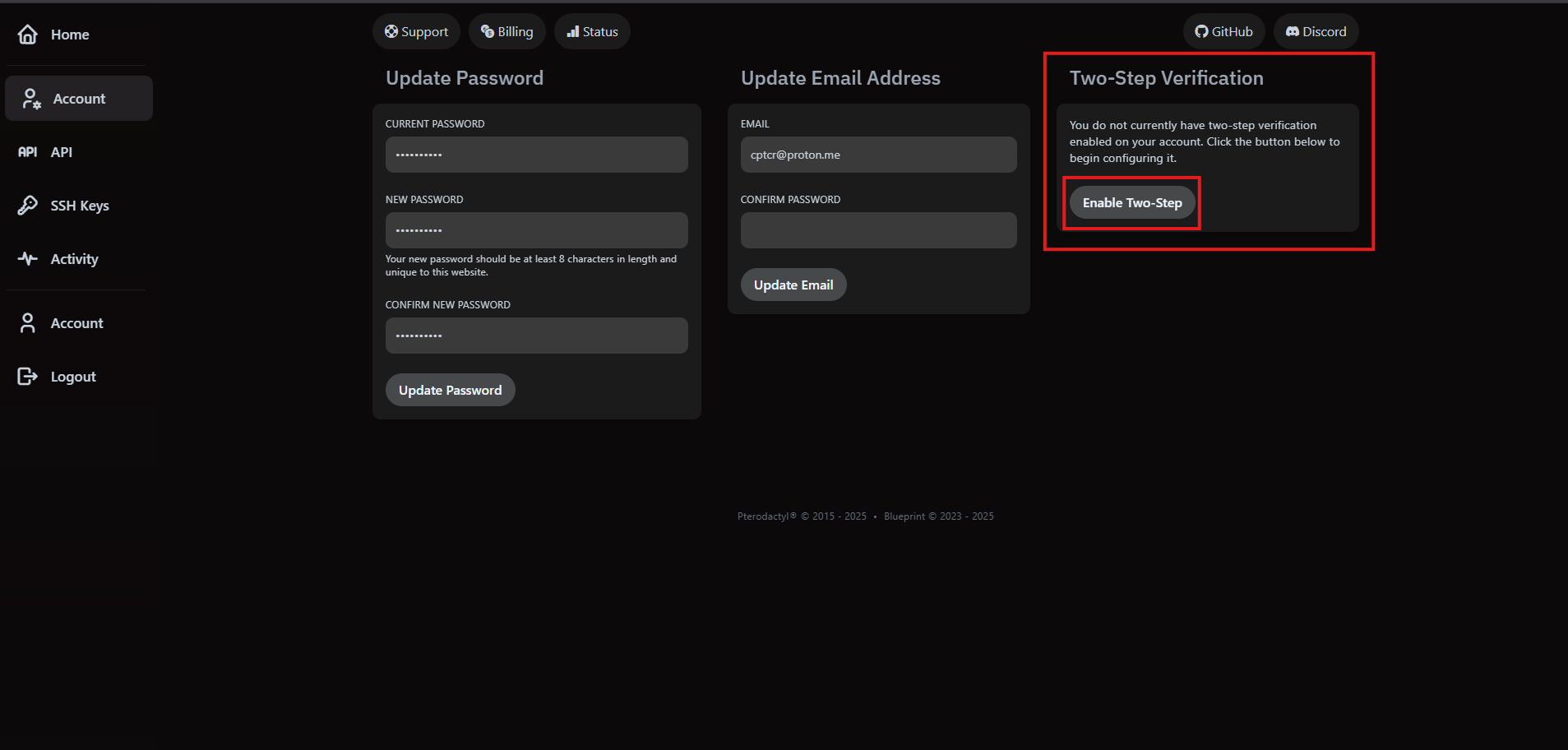
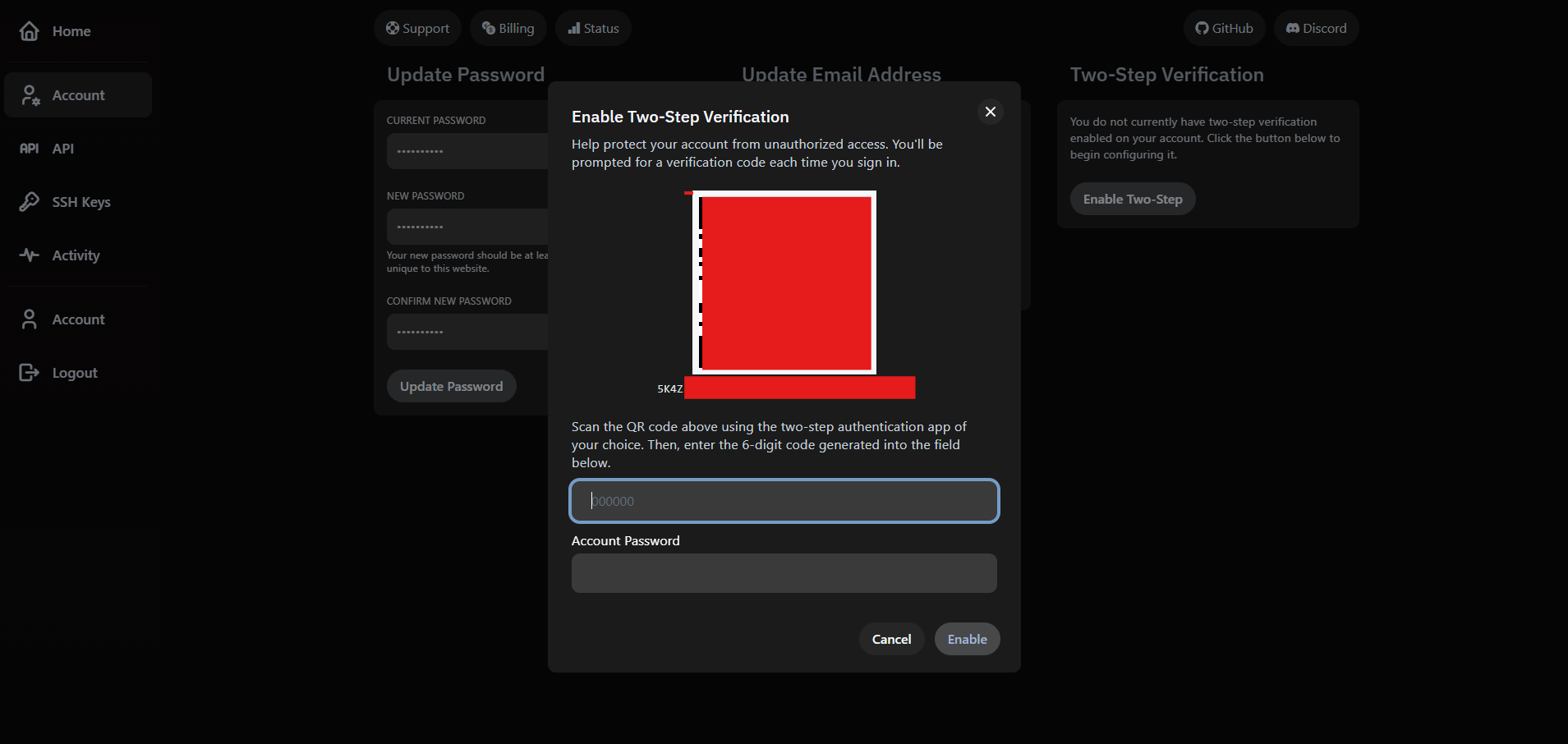
Require 2FA for every user with console, SFTP or billing access. It's the easiest way to prevent account takeovers.
2. Rotate passwords and email
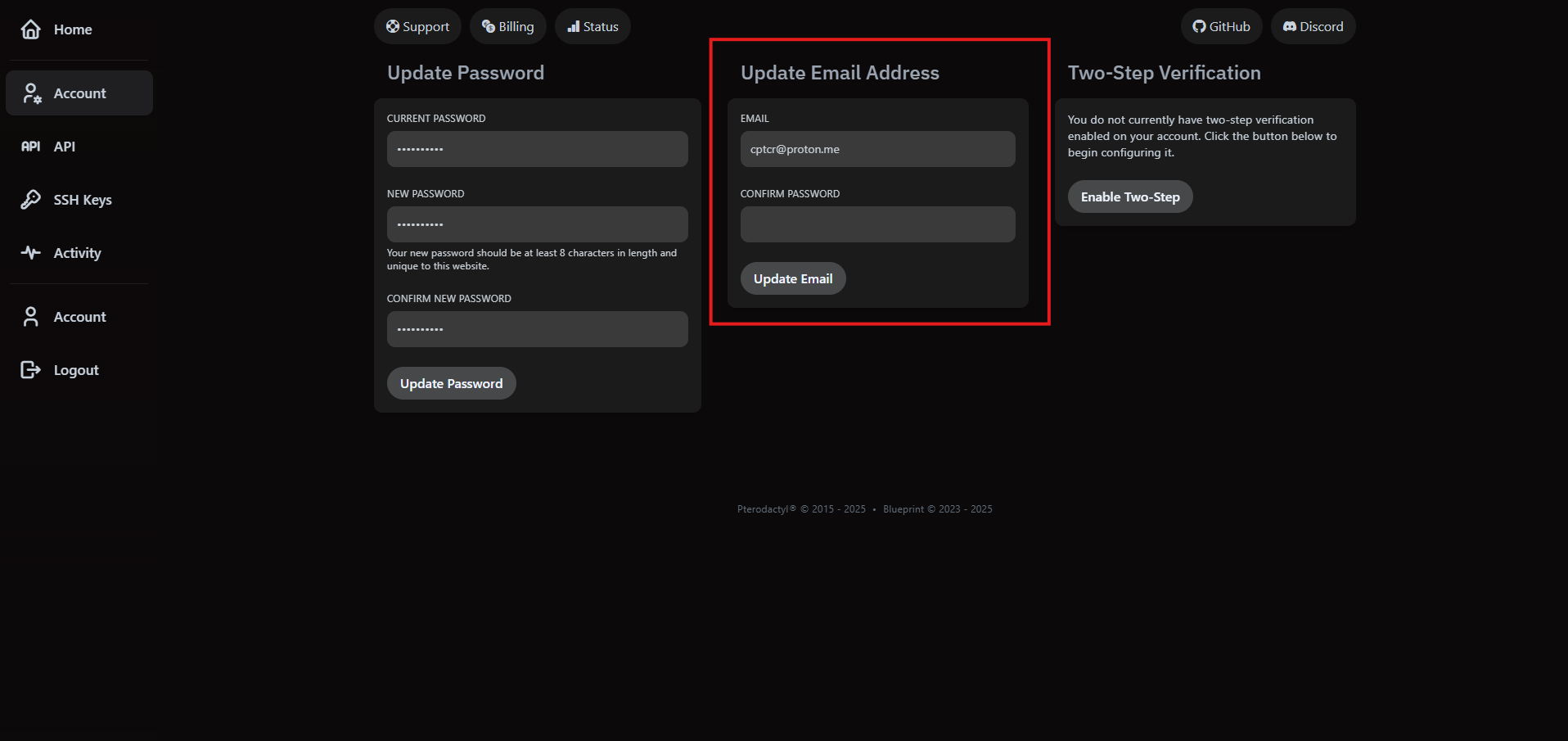
Update your password from the same account page. Use a unique, randomly generated passphrase stored in a password manager.
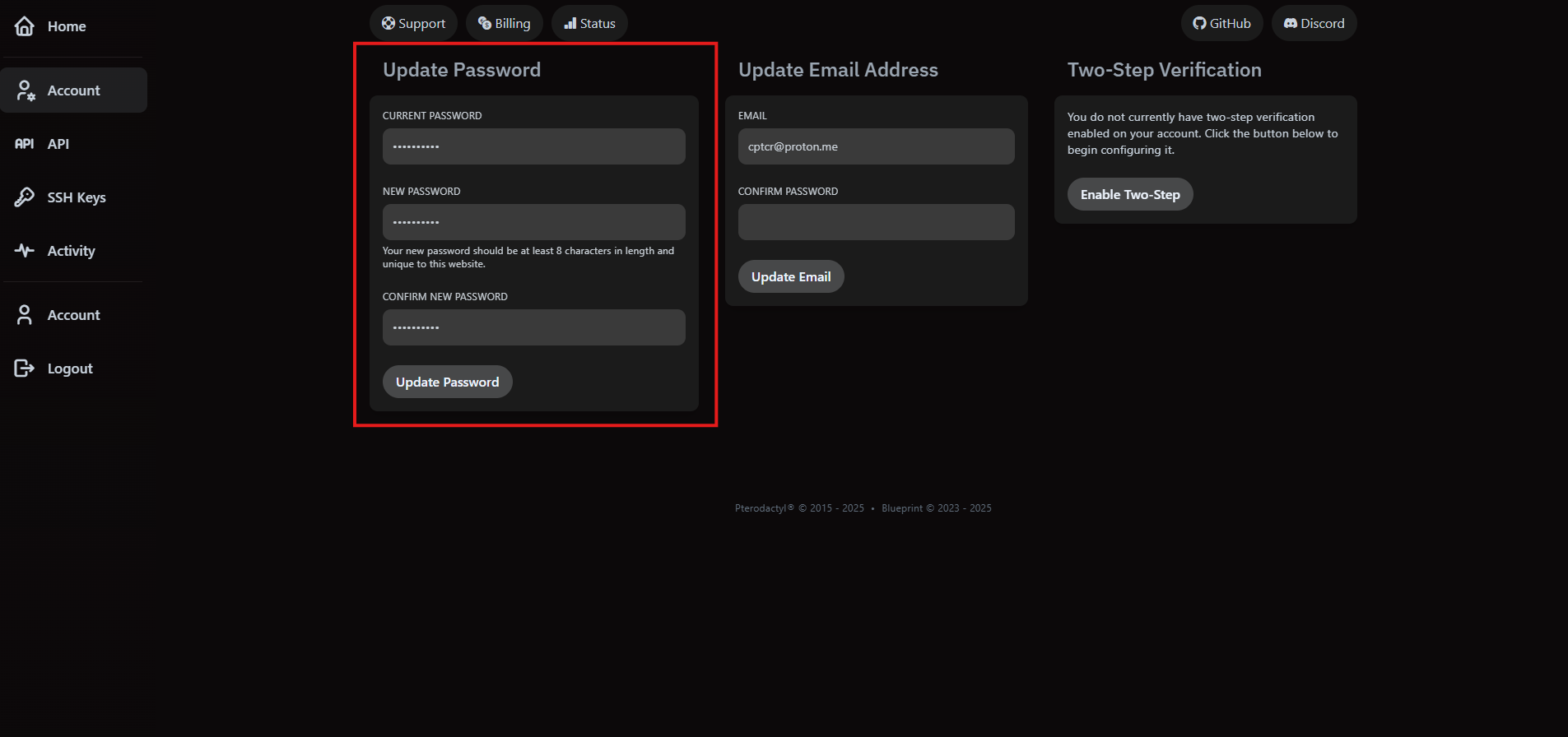
When you change the email address associated with your account, we require your current password as confirmation.
3. Limit privileged access
- Grant console and SFTP permissions only to operators who need them.
- Audit user lists monthly and remove stale accounts immediately.
- Use separate logins for personal play and administrative work to reduce risk.
Pair access controls with the privacy policy to understand how we handle personal data.
4. Secure billing
- Never share your billing password. Finance can pay invoices without accessing the control panel.
- Enable email alerts for new invoices and payment failures to detect fraud quickly.
- Remove old payment methods so they can’t be charged accidentally.
5. Incident response
- Suspect a compromise? Change your password, revoke API tokens and remove all user invites immediately.
- Restore from a known-clean backup and diff the filesystem against your repository.
- Contact security@vaultscope.dev with timestamps, IP addresses and affected servers for forensic support.
Compliance checklist
- Keep audit logs for at least 90 days.
- Store secrets in an encrypted vault and rotate them quarterly.
- Run regular vulnerability scans against your workloads.
Need a custom security review or enterprise documentation? Email security@vaultscope.dev.