Edge routing
Publish a reverse proxy
Reverse proxies terminate TLS and forward traffic to the internal port your workload listens on. Pair them with custom domains to provide HTTPS endpoints for players and automation.
1. Open the proxy panel
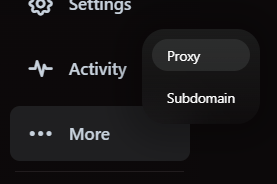
From your server sidebar, choose More → Proxy. This view lists existing proxies and their SSL status.
2. Launch the creation wizard
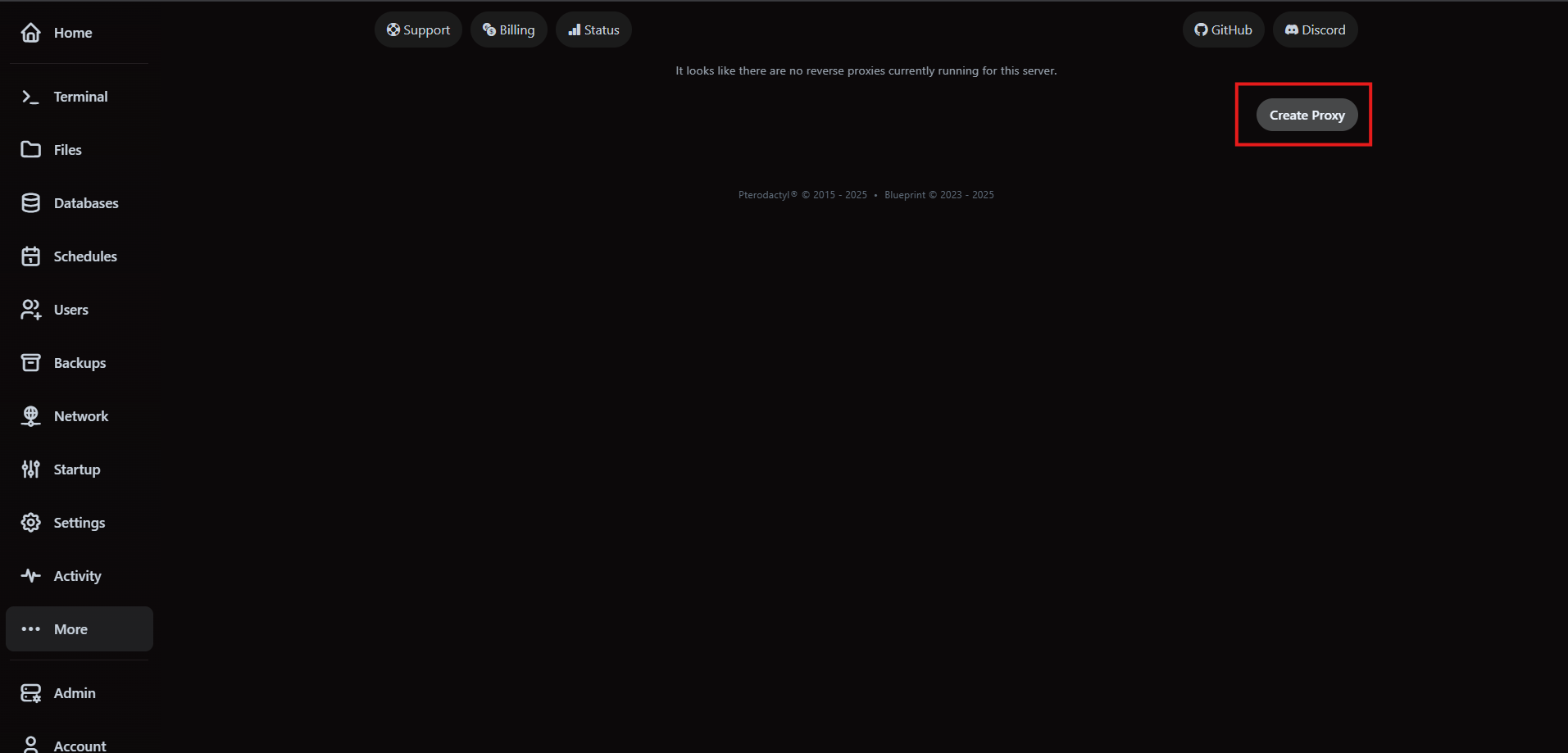
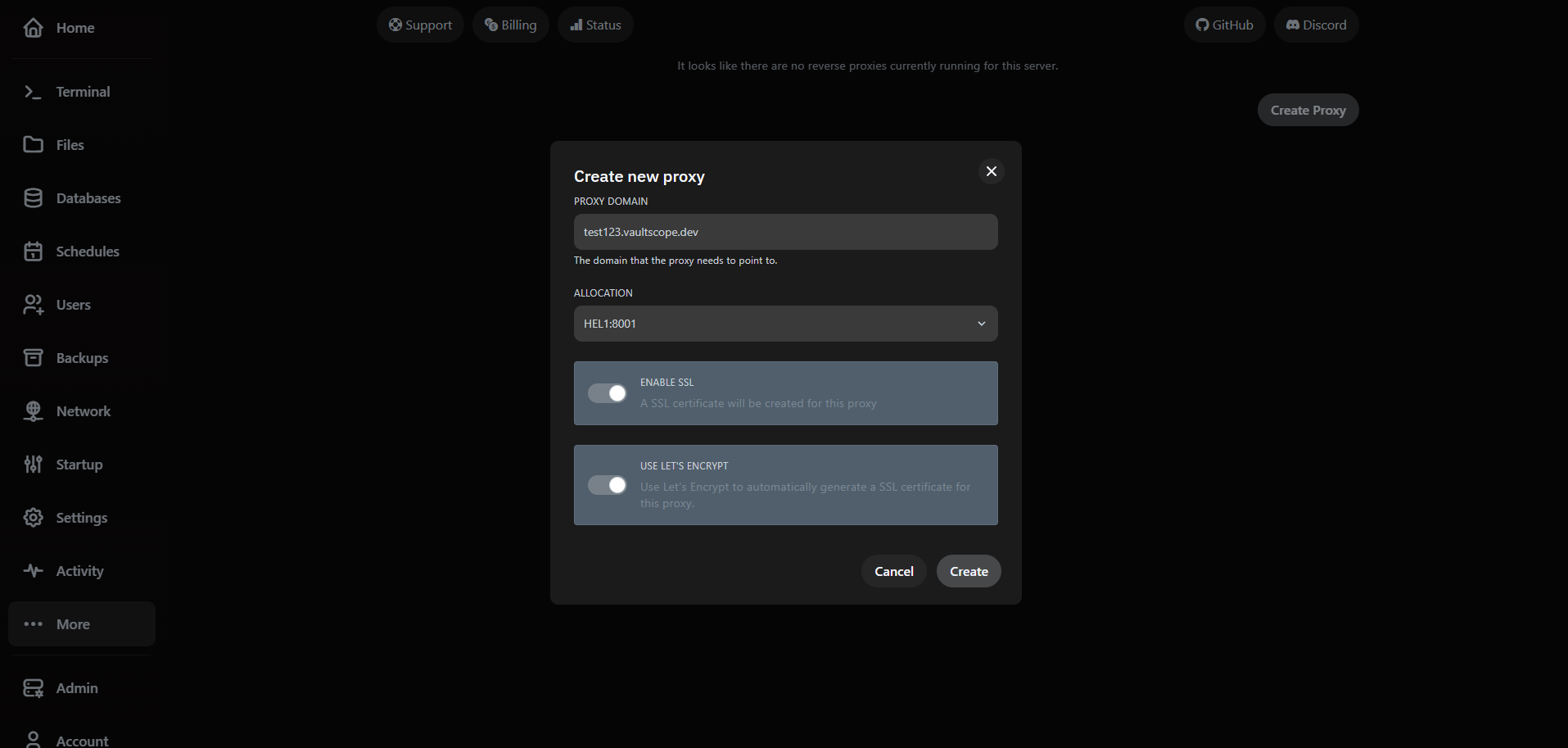
Click Create Proxy to open the configuration modal. Have your domain ready and make sure it resolves to the server IPv4 via an A record.
3. Configure DNS and SSL
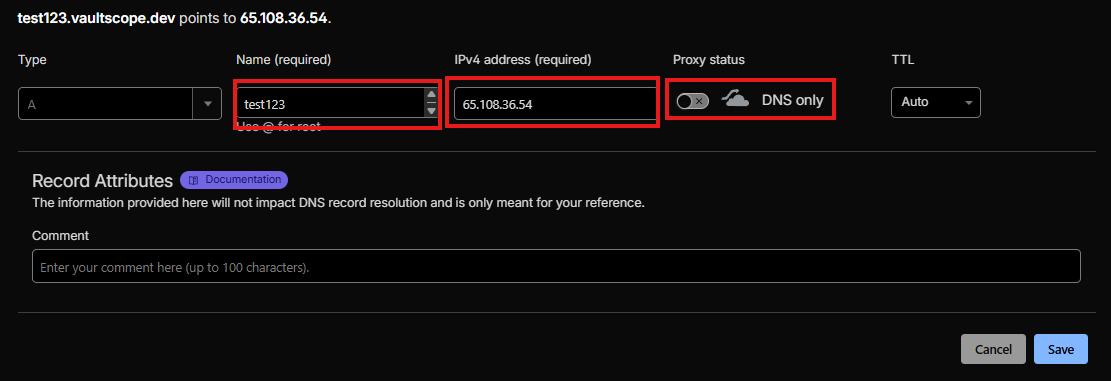
Point your A record directly at the server IP. Disable third-party proxy toggles (like Cloudflare's orange cloud) while the certificate is being issued.
- Toggle Let's Encrypt for automatic certificate issuance and renewals.
- Uploading your own certificate? Provide the full chain and private key in PEM format.
- Re-enable upstream CDNs after SSL verification succeeds if you need additional protection.
4. Verify the proxy
After creation, the proxy appears in the list with real-time status indicators. Test HTTPS from a browser or curl to confirm the certificate and allocation forwarding work as expected.